
I need help accessing my store creditUpdated 4 months ago
You can access your store credit several ways.
To view your store credit:
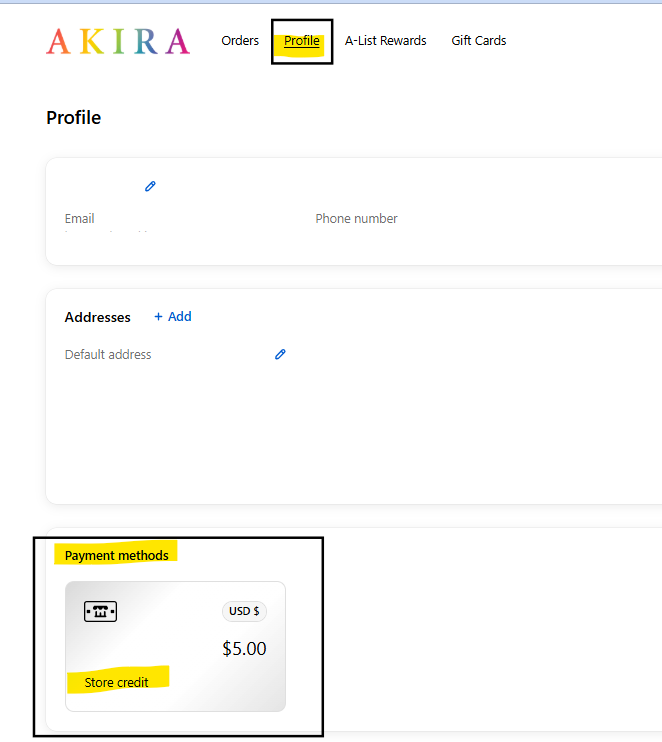
To view your store credit balance visit your account page on either your mobile device or computer by visiting shopakira.com/account , Log in and Select Profile, you will see your Store Credit under Payment Methods as seen below:
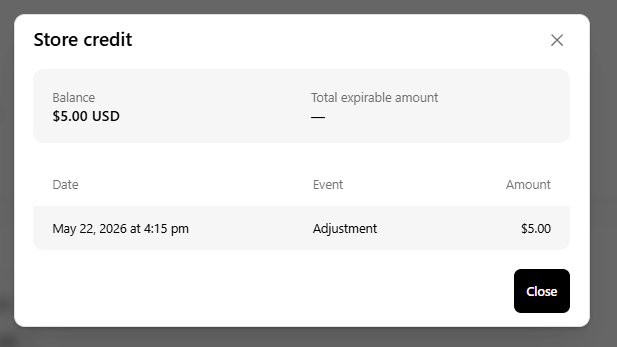
To view the history of the Store Credit, click into it to view the orders where the refund to store credit occurred
Using your Store Credit:
Online - To use your store credit, ensure you are logged into your account during checkout. Once you reach the payment stage, you can apply your available store credit in the section located directly above the credit card payment options. This is true for mobile, app, and desktop checkout processes. We do not accept Store credit payments for International Orders or Preorders.
In Store - If you were issued a store credit in store provide the cashier with your information and they will be able to check your store credit at the POS/Checkout.